ZTRON

Custom CRM & business software

Your customers.Your pipeline.Your next move.

A shared workspace for your leads, customers, tasks, and the way your team actually works.
A more connected way to work

Keep the useful
things together.

Start with your sales process. Shape the records, responsibilities, and tools around it.

Leads & pipeline

Bring leads and deals into useful stages and views.

  • List, Kanban & filters
  • Scoring & temperature
  • Lead conversion

Customer context

Shape customer context and communication around your team.

  • Companies & activity
  • Email & calls
  • Notes & attachments

Tasks & follow-ups

Make the next action clear, with ownership and timing.

  • Priority & due dates
  • Task owners
  • Notes & reminders

Dashboards & forecasts

Shape reporting around the way your pipeline works.

  • Trends & sources
  • Forecast views
  • Lost-reason analysis

Configuration & access

Configure views, forms, and access for each team.

  • Custom fields & forms
  • Roles & hierarchy
  • Import & export

Assignment & automation

Build visual workflows around your sales process.

  • Triggers & conditions
  • Routing & assignments
  • SLA & follow-up rules

Configuration, reporting, automation, and communication channels are shaped to the agreed project scope.

A look inside the workspace

See how the
work fits together.

Genuine views from our local evaluation build. The records and figures are sample data, so you can see the structure without mistaking it for business results.
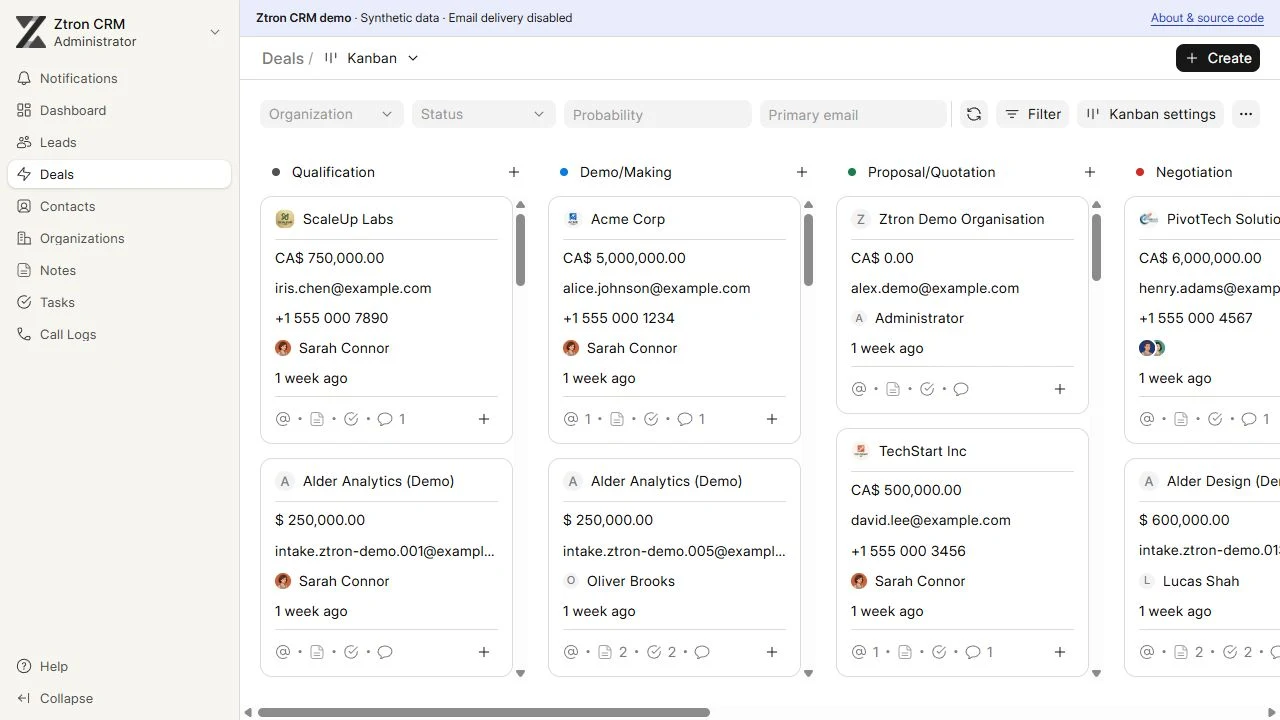
Local CRM pipeline with sample deals arranged by stage.
A clear view of the pipelineLocal workspace · sample records
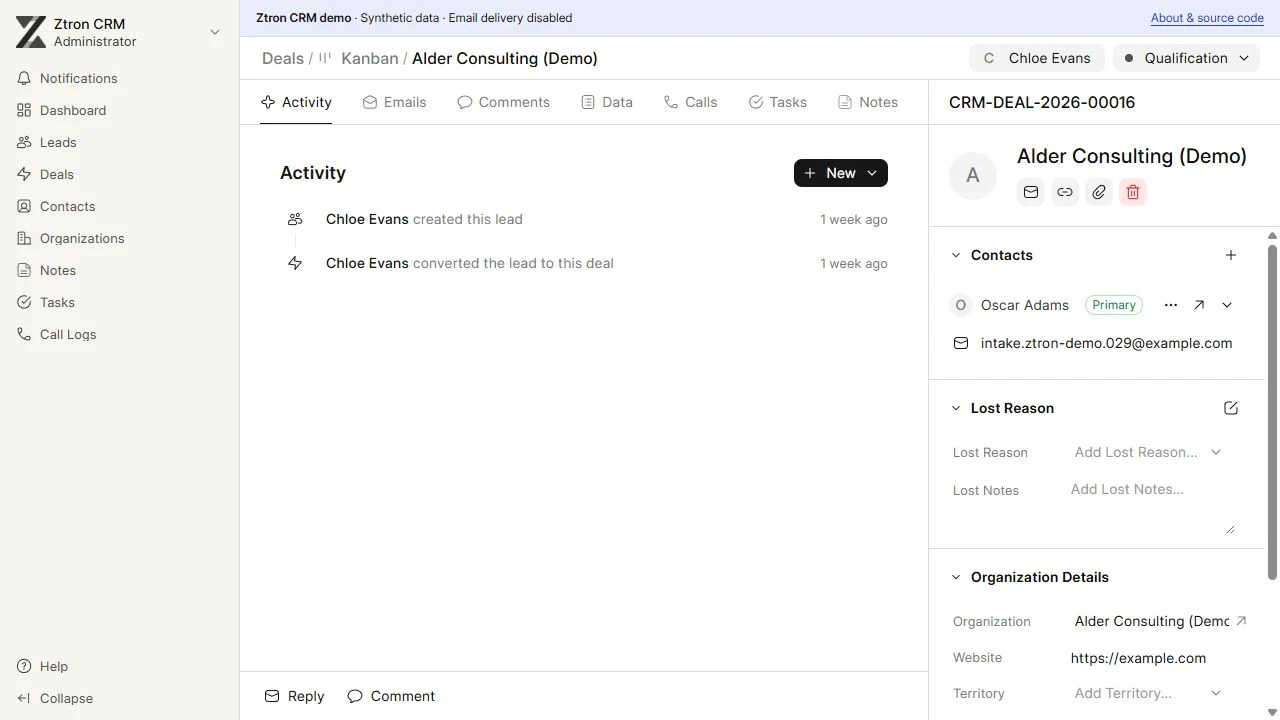
Local CRM customer record showing sample contact information and activity.
The context behind a customerLocal workspace · sample records
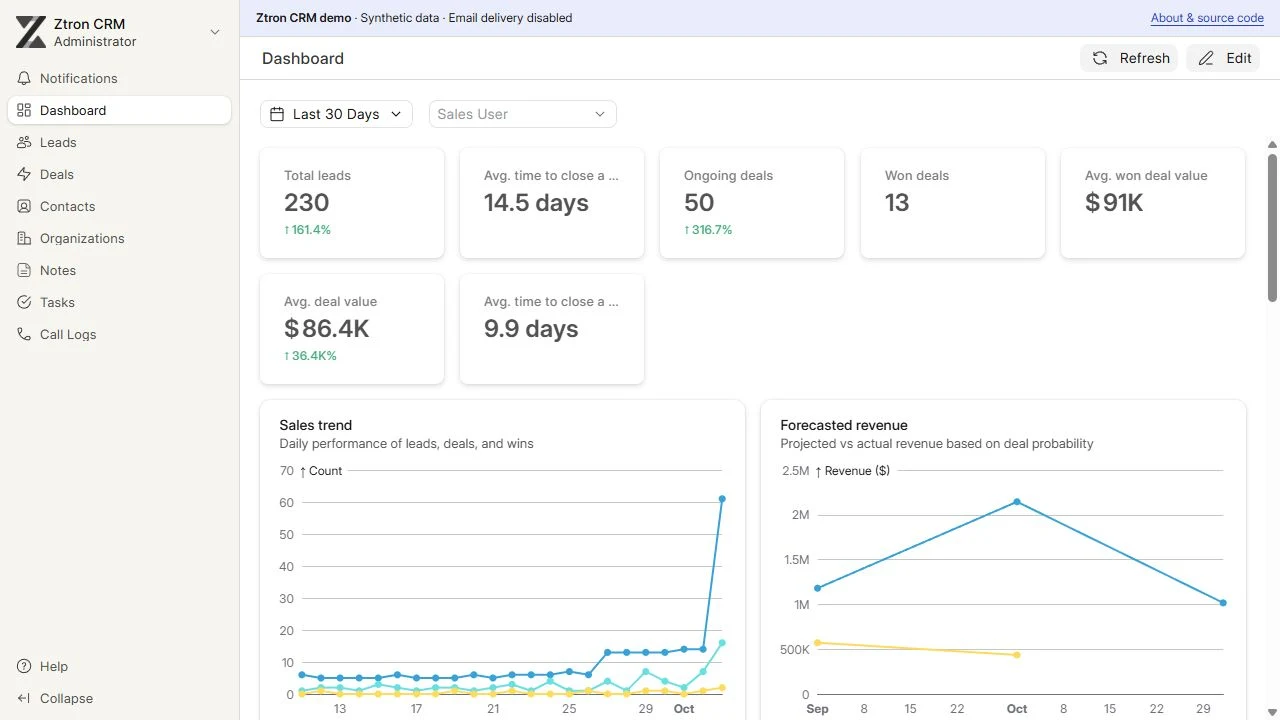
Local CRM dashboard displaying sample-record reporting, not business results.
A view of the workLocal workspace · sample records
Explore more of the workspace 9 views
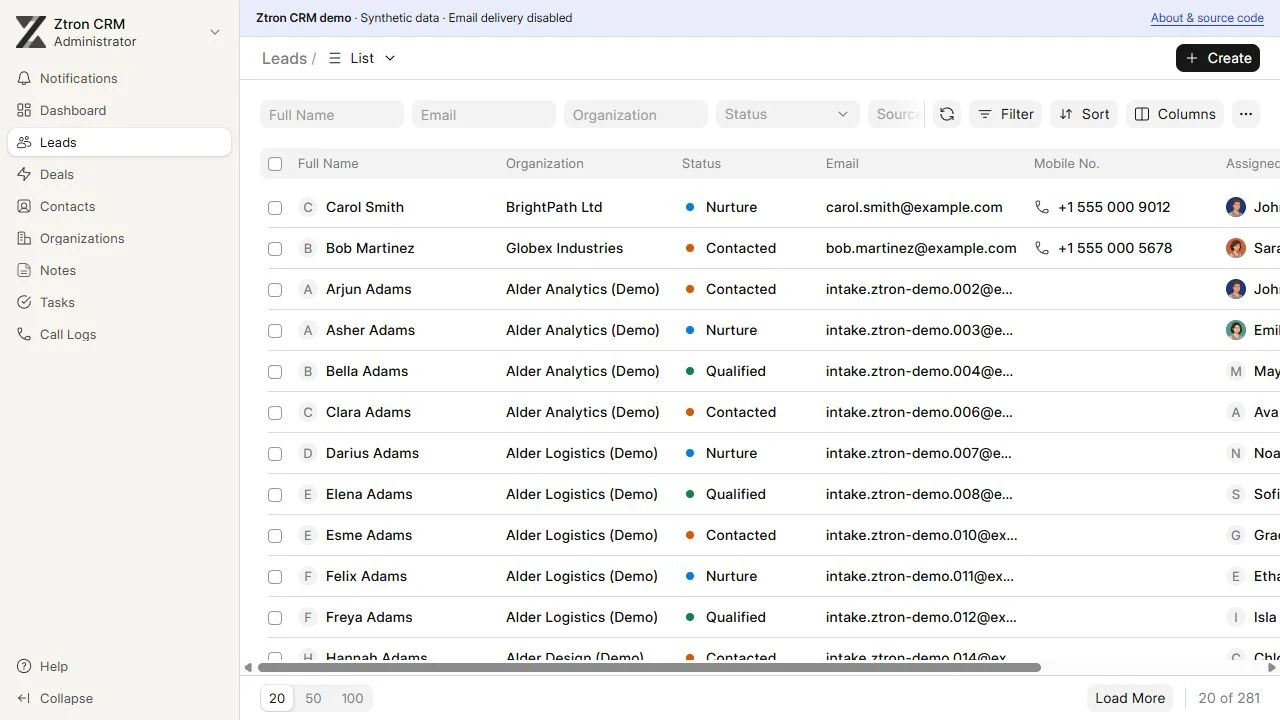
Local CRM lead list with sample records and owners.
Leads & ownershipLocal workspace · sample records
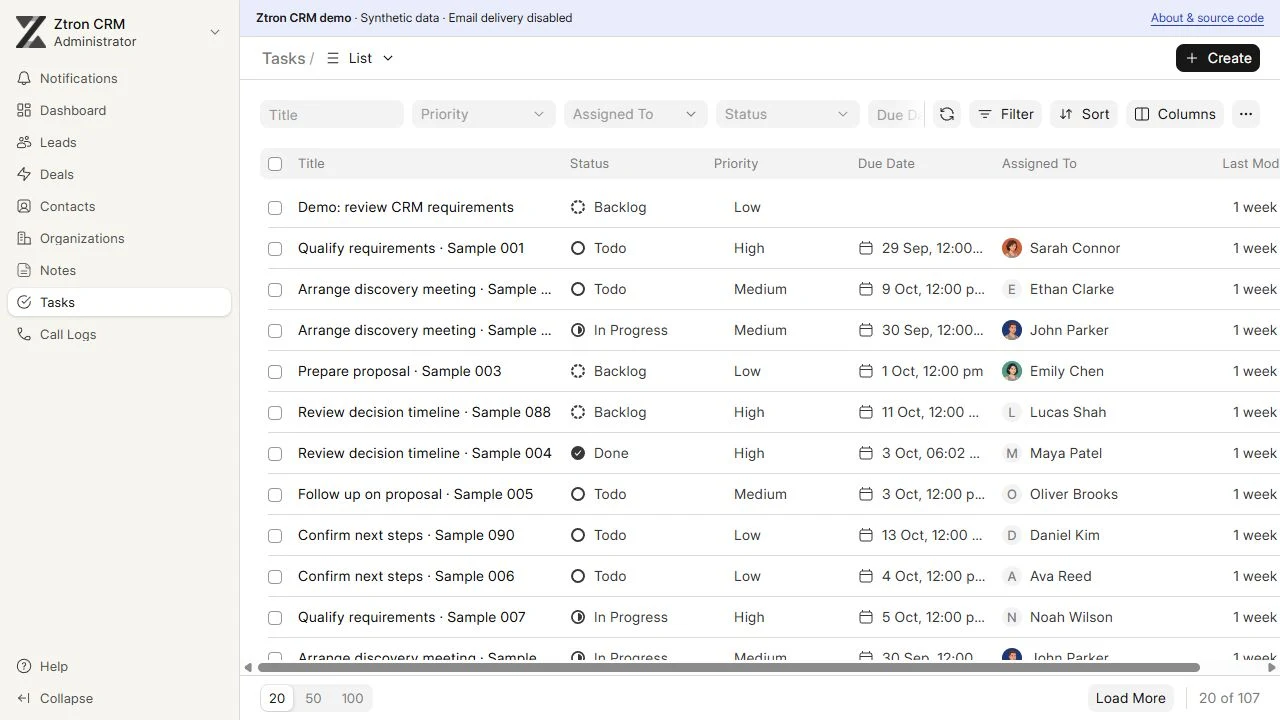
Local CRM task view showing sample follow-up work.
Tasks & next actionsLocal workspace · sample records
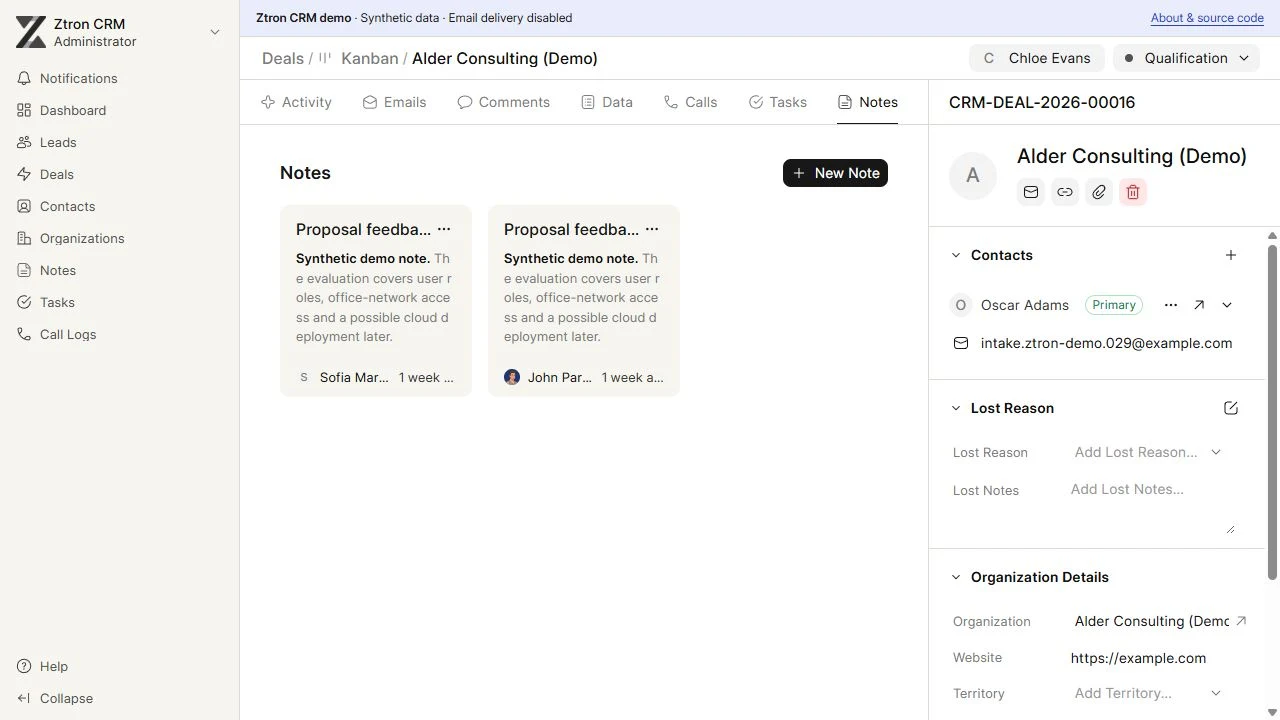
Local CRM notes view containing sample customer context.
Notes & shared contextLocal workspace · sample records
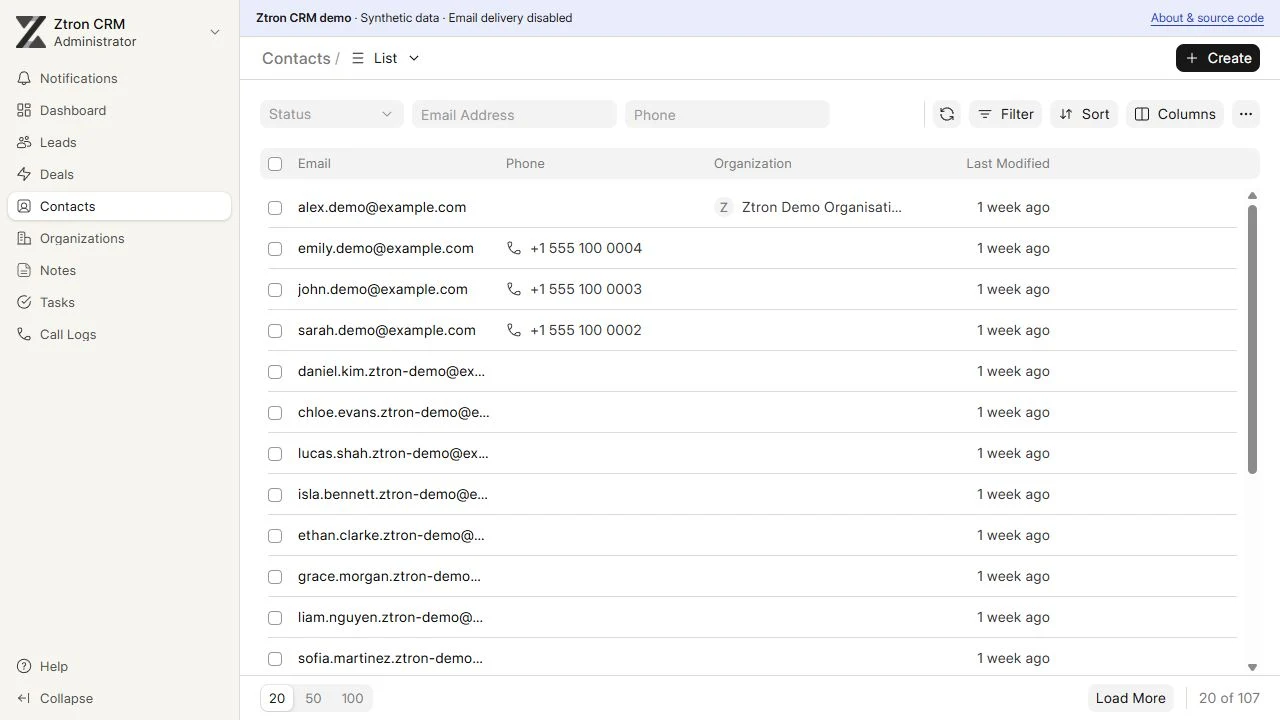
Local CRM contacts view with sample people and company records.
Contacts & companiesLocal workspace · sample records
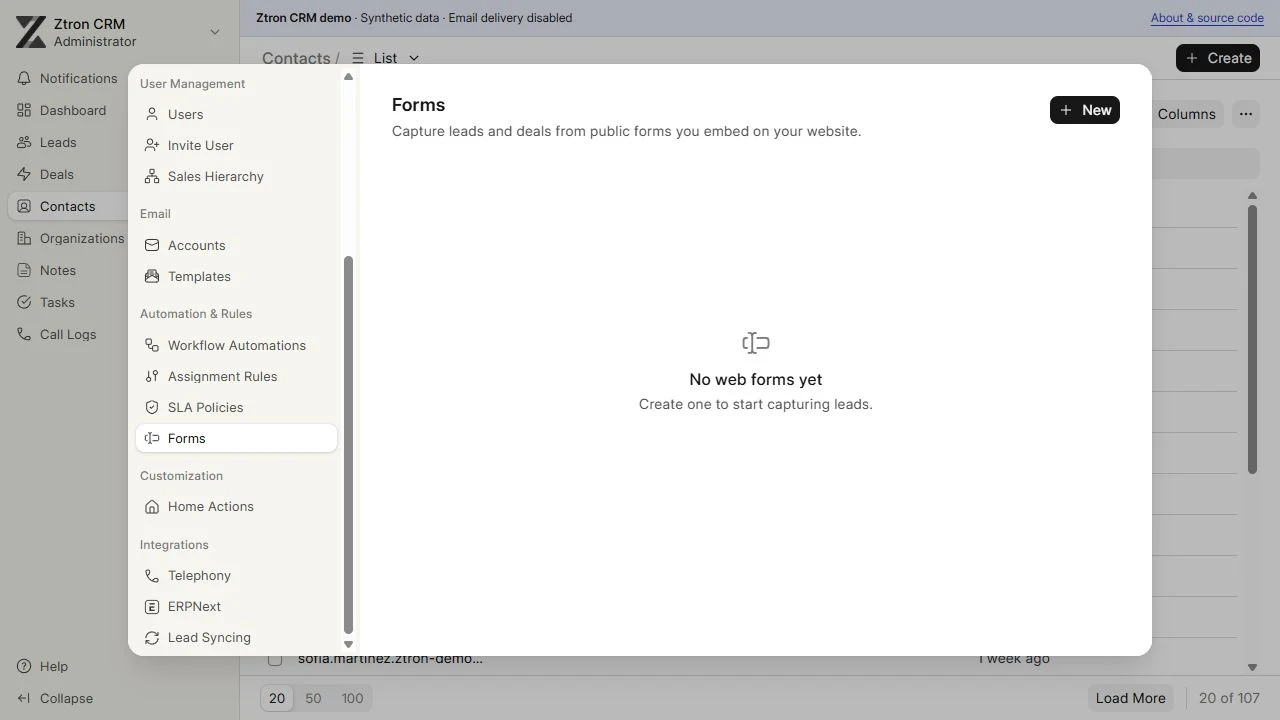
Local CRM settings and configuration view.
The workspace, configuredLocal workspace · sample records
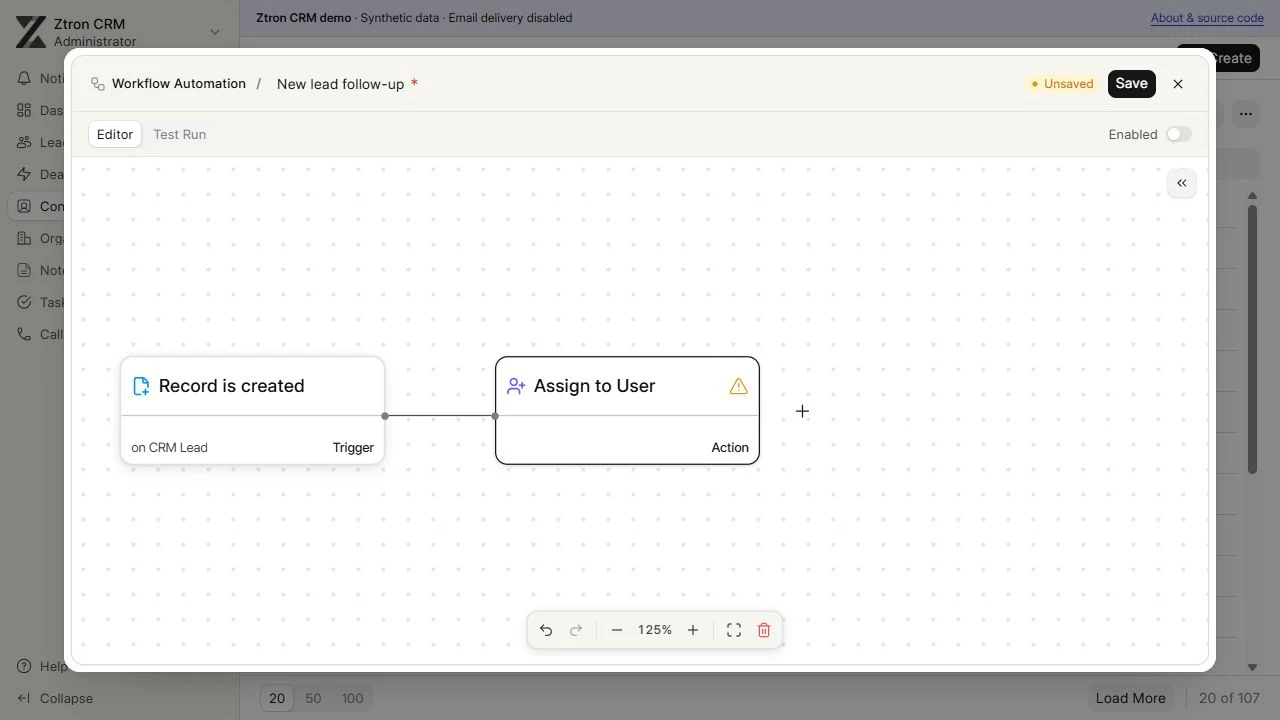
Local workflow builder with an unsaved example trigger and assignment step.
Workflow builder · unsaved exampleLocal workspace · sample records
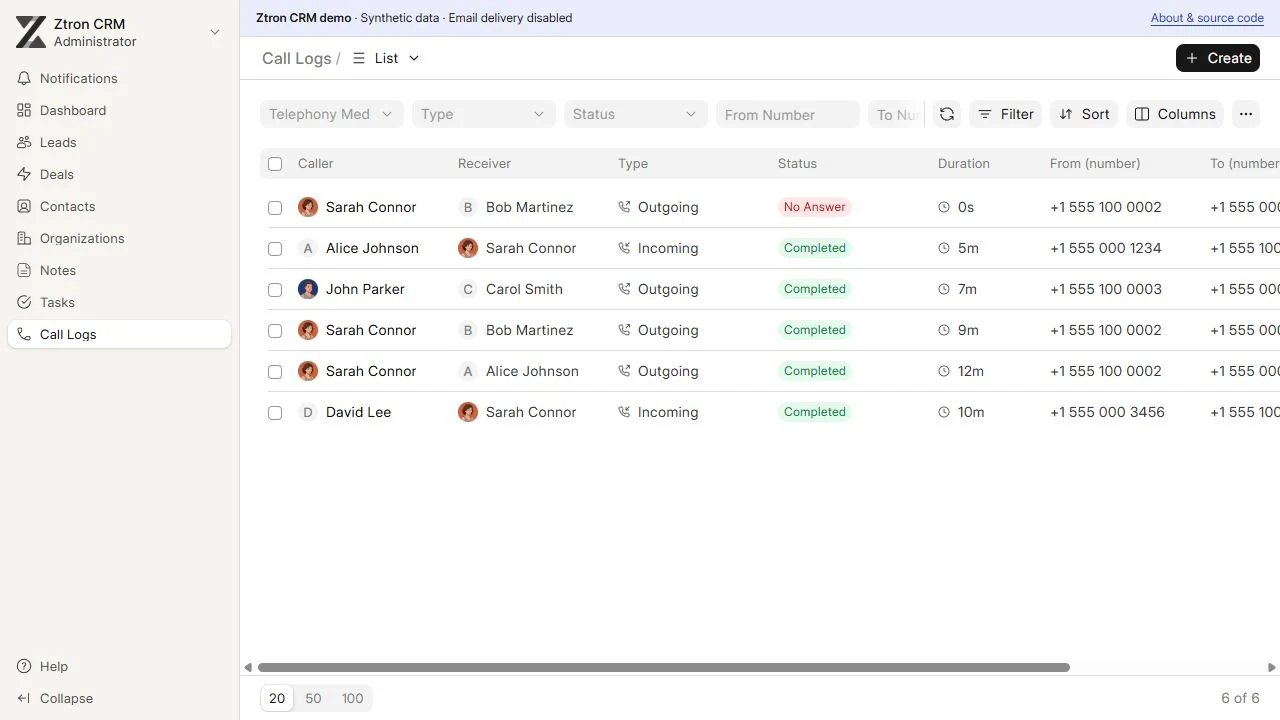
Local CRM call activity view with sample records.
Calls & customer activityLocal workspace · sample records
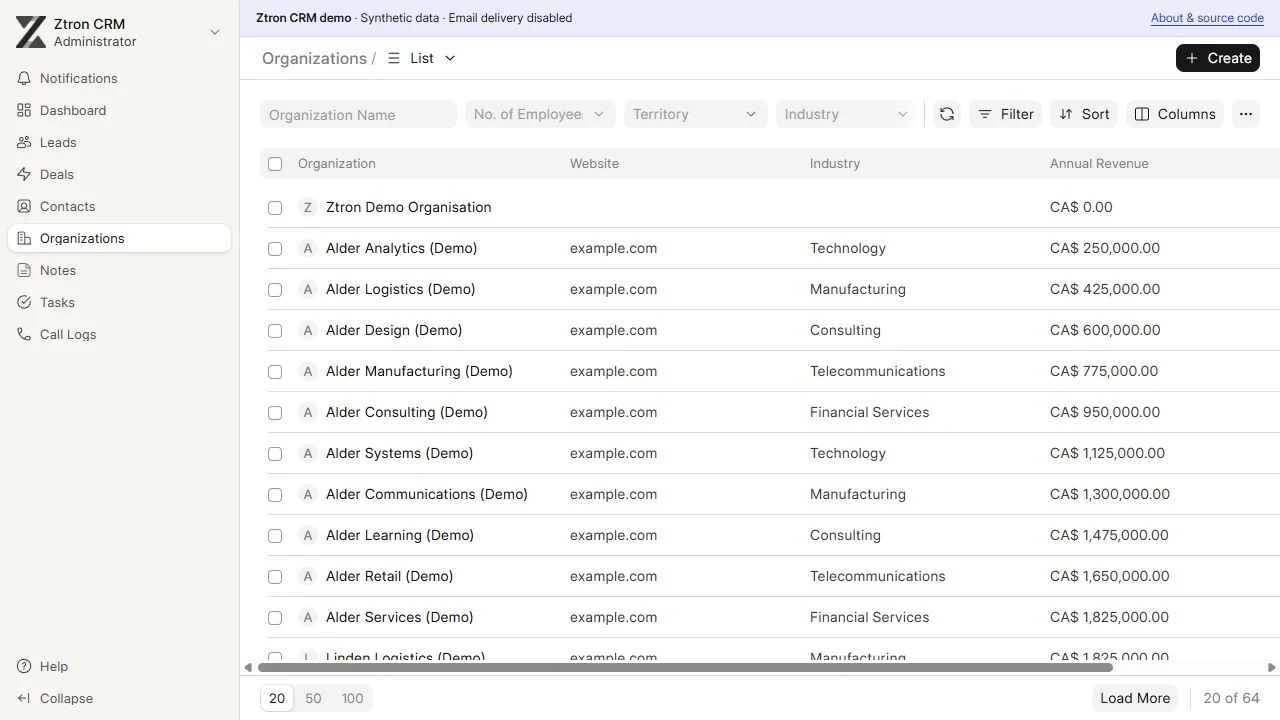
Local CRM company records with sample organizations.
Companies & shared recordsLocal workspace · sample records
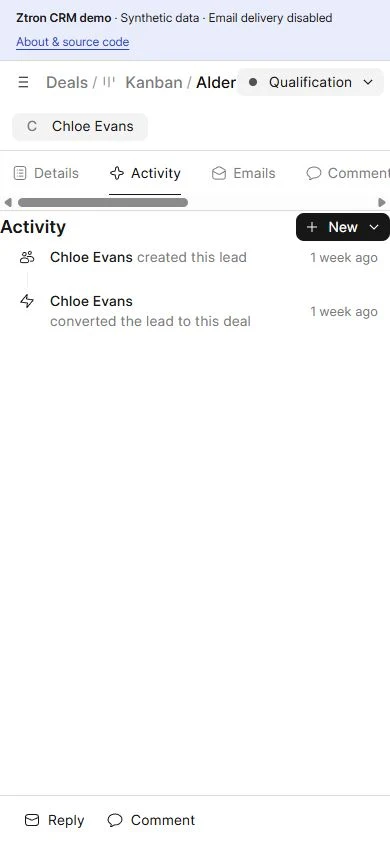
Local CRM workspace shown at a phone width with sample records.
The workspace on a phoneLocal workspace · sample records

Take a closer look.

Two short recordings. Play them when you’re ready.

Follow the pipeline

A silent walkthrough of the local pipeline, showing sample deals and how a record’s stage and ownership provide context.

Open recording

Make the next step clear

A silent walkthrough of a sample customer record, tasks, notes, and the next follow-up.

Open recording

Made around your business

Your workflow.
Your way forward.

We define the fields, permissions, business rules, imports, and integrations your team needs. Email, telephony, messaging, and business-app connections are configured by project, after reviewing access and available APIs.

  • Fields & embedded forms
  • Stages & views
  • Roles & team hierarchy
  • Routing & SLA rules
  • Import & export
  • Email, calls & messaging
  • APIs & business apps
  • Hosting, training & support

Use a cloud environment or a maintained office server. Your team works in a browser; scope and ongoing support are agreed during discovery.
A few useful answers

Before we
make a start.

Can the CRM fit how our team already works?

Yes. We start with your workflow, then define the fields, stages, views, permissions, and business rules that belong in the scope.

Can we bring our existing data?

Data migration and imports can be part of the project. We review the available records, structure, and data quality before defining the migration work.

Can it connect to our other tools?

We review your tools, available APIs, access, and workflows. Integrations and automation are configured for the agreed project; the showcase does not represent active external connections.

Where can the CRM be hosted?

Hosting can use a cloud environment or a maintained office server, with your team working in a browser. Hosting responsibilities, training, and ongoing support are agreed during discovery.